Astrox: Hostile Space Excavation Steam Gift
- Steam
- Game
- Region free
- In stock
About
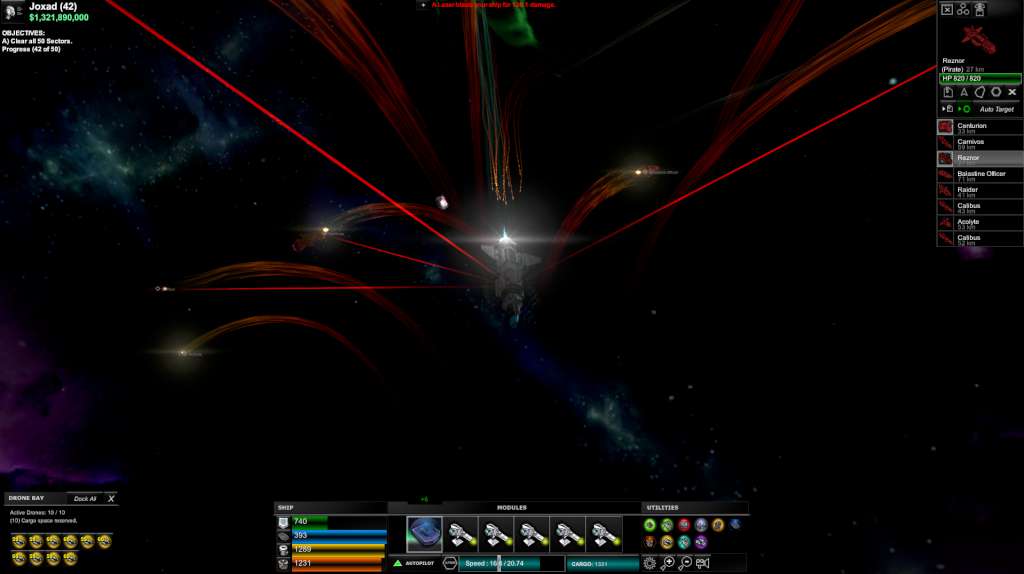
Astrox: Hostile Space Excavation Steam Gift Platform: Steam Release Date: 1/12/2015 Product Description Exiled to a deep space mining sector, you are left with a crappy ship, a laser, and a small mining beam. It is up to you to survive by working your way through galaxy. Mine asteroids, refine and trade their ore, buy upgrades for your ship, hunt pirates in the procedural star systems and you’ll have only scratched the surface. This all takes place in a lush 3d environment with full 3d camera control at all times. Akin to eve and homeworld, the intuitive interface provides everything you need, right where you need it. Engaging and casual all at the same time. Features Completely customize your galaxies. Secure the Galaxy, and continue playing in a brand new one. Procedurally created star systems, connected by warp gates. Mine, sell, or refine 7 unique asteroid types, with various attributes. Trade Asteroids, Refined components, or Trade goods for profit. Hunt down 15 different pirates, with officers and commanders in tow. Eradicate pirate hideouts for fame and fortune. All names and places are Generated. 33 Unique ships, each with individual properties and attributes, and bonuses. 144 Unique modules and items for your ships. Generated Rare, Epic, and Artifact items. Generated Missions. News, and Events. 24 Trainable skills, with 100 levels each. Craft unlimited upgrades with 24 unique recipes. Achievements, Pilot Experience points, and Levels (no cap). Explore Deadspace (The space between the Star Systems). Protect NPC pilots, learn their secrets. Original custom soundtrack, models, sprites, textures and particle effects. System Requirements OS: Windows XP+ Processor: 1.00 Ghz Memory: 200 MB RAM Graphics: Everything made since 2004 should work. DirectX: Version 9.0 Storage: 500 MB available space
How to activate
"Please remember that we are NOT responsible for any problems that may arise from purchasing and using Steam Gifts. You are doing it at your own risk. "Please note, that due to recent Valve https://support.steampowered.com/kb_article.php?ref=1327-WUJX-5722 Steam Gifts for games that are covered by VAC ban program can no longer be added to Inventory. Make sure that you are logged in to the proper account before entering the link as Steam Gifts can be only added to your library or rejected. How do I use a Steam gift given to me? If you do not already have Steam, download and install Steam http://store.steampowered.com/about/. Once you have Steam installed, you will be prompted to create an account or login to an existing Steam account. If you do not have an account, please create one. You will receive an e-mail containing a link that will open Steam allowing you to redeem your gift. After clicking the link, you will receive a notification at the top right corner in the Steam client informing that you have a new gift.
Details
- Type
- Game
- Platform
- Steam
- Region
- Region free
- Delivery
- Code, after payment
- Payment
- Byrvox balance