Life Goes On Steam Gift
- Steam
- Game
- Region free
- In stock
About
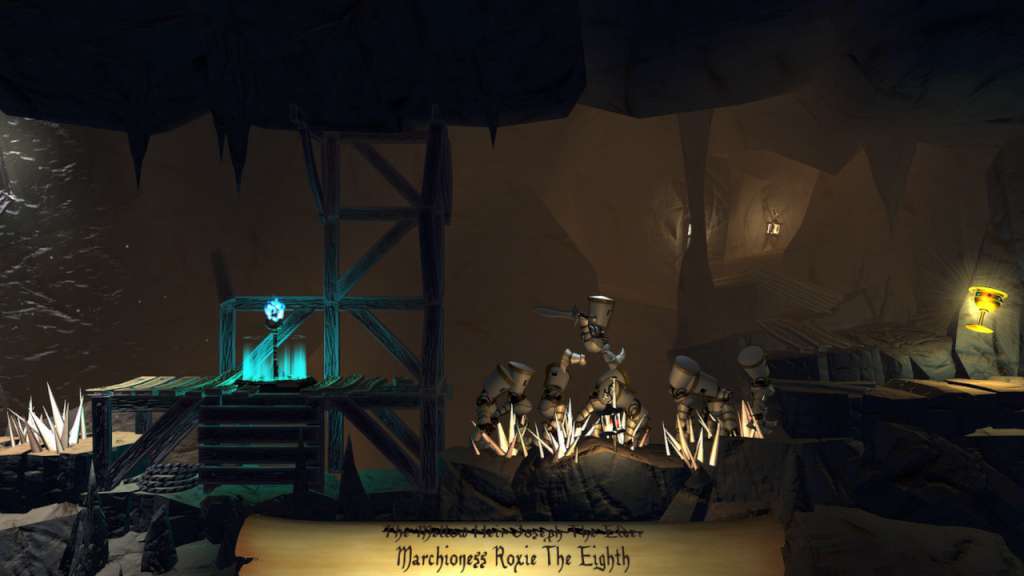
Life Goes On Steam Gift Platform: Steam Release Date: 17 Apr 2014 Product Description Life Goes On is a comically-morbid platformer where you guide heroic knights to their demise and use their dead bodies to solve puzzles. On your quest to find the Cup of Life, you will summon knight after knight to be brutally sacrificed. Impale knights on spikes to create a safe path. Catch a knight on a saw blade (ouch!) to strategically land the body on a button. Freeze your knights into blocks of ice to reach higher ground. As you journey through treacherous and trap-ridden worlds, you’ll show no mercy to solve each challenging puzzle. In Life Goes On, death is not a setback. It is the only means to success. Features Over 50 levels that challenge your puzzle-solving skills in morbid, yet fun, ways Puzzles that can only be solved by figuring out how to kill knights Secrets and achievements including Jeff, the fuzzy side-challenge lurking in every level A new, unique name for each knight summoned Three worlds full of spike pits, lava, cannons, ice, and more Speed-run times and death minimums to beat A fresh look at dying in video games System Requirements PC System Requirements OS: Windows XP or later Processor: Intel Core 2 Duo 2.4 GHz Memory: 2 GB RAM Graphics: Shader Model 3.0 support with 512MB Integrated Memory DirectX: Version 9.0c Hard Drive: 625 MB available space Mac System Requirements OS: OS X 10.6.9 Snow Leopard or better Processor: 2.4 GHz Memory: 2 GB RAM Graphics: Shader Model 3.0 support with 512MB Integrated Memory Hard Drive: 600 MB available space Linux System Requirements OS: Ubuntu 32/64 Processor: Intel Core 2 Duo 2.4GHz Memory: 2 GB RAM Graphics: Shader Model 3.0 support with 512MB Integrated Memory Hard Drive: 600 MB available space
How to activate
Go to: http://store.steampowered.com/ and download STEAM client Click "Install Steam" (from the upper right corner) Install and start application, login with your Account name and Password (create one if you don't have). Please follow these instructions to activate a new retail purchase on Steam: Launch Steam and log into your Steam account. Click the Games Menu. Choose Activate a Product on Steam... Follow the onscreen instructions to complete the process. After successful code verification go to the "MY GAMES" tab and start downloading.
Details
- Type
- Game
- Platform
- Steam
- Region
- Region free
- Delivery
- Code, after payment
- Payment
- Byrvox balance