Movavi Video Converter Premium 2020 Steam CD Key
- Steam
- Game
- Region free
- In stock
About
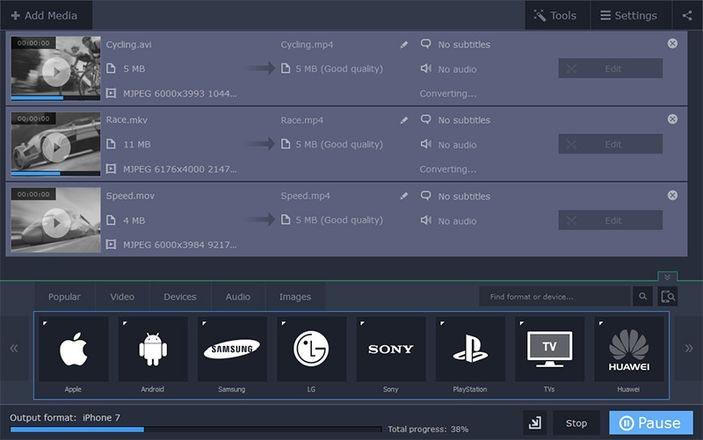
Don’t wait for hours to get your videos converted. Movavi Video Converter Premium 2020 will transform your videos in no time – and with no loss of quality. Reduce the file size for your favorite movies and TV series so they take less space on your hard drive, and convert them to any of 180+ supported formats. Popular Formats and Ready-made Presets Use any popular multimedia format in the converter: MP4, AVI, MOV, FLV, MKV, WMV;MP3, WAV, WMA, FLAC, AAC; JPG, PNG, GIF, RAW formats, and more. Save your multimedia files with the optimal settings for uploading to YouTube and other platforms, or make them perfect for viewing on any device. Use ready-made presets for smartphones, tablets, and laptops, so you can upload your video on the target device right after conversion. Online Subtitle Search With Movavi Video Converter Premium 2020, you can search for subtitles online right from the program. Choose the language you need, the season and episode number, and even the IMDb ID. Video Converter adds downloaded subtitles to the video automatically. You can also change the subtitle font, color, and size. Ultrafast Conversion With support for many types of hardware acceleration, file conversion will take no time at all. The program’s compatibility with Intel®, AMD®, and NVIDIA® technologies will help convert files 3-5 times faster! Try the SuperSpeed mode for HD movies: the program converts any size videos in no time and preserves quality. Easy Editing Enhance your files with the built-in editor: Trim videos without converting them, instantly and without loss of quality Create animated intros or overlay image watermarks Change volume levels, remove background noise Change the font, color, and size of subtitles Select audio streams, bitrates, and subtitle tracks for all files at once Adjust colors, add video-enhancing filter File conversion with Movavi Video Converter Premium 2020 takes next to no time and delivers the highest possible quality.
How to activate
Go to: http://store.steampowered.com/ and download STEAM client Click "Install Steam" (from the upper right corner) Install and start application, login with your Account name and Password (create one if you don't have). Please follow these instructions to activate a new retail purchase on Steam: Launch Steam and log into your Steam account. Click the Games Menu. Choose Activate a Product on Steam... Follow the onscreen instructions to complete the process. After successful code verification go to the "MY GAMES" tab and start downloading.
Details
- Type
- Game
- Platform
- Steam
- Region
- Region free
- Delivery
- Code, after payment
- Payment
- Byrvox balance
More like this