Pinstripe Steam Gift
- Steam
- Game
- Region free
- In stock
About
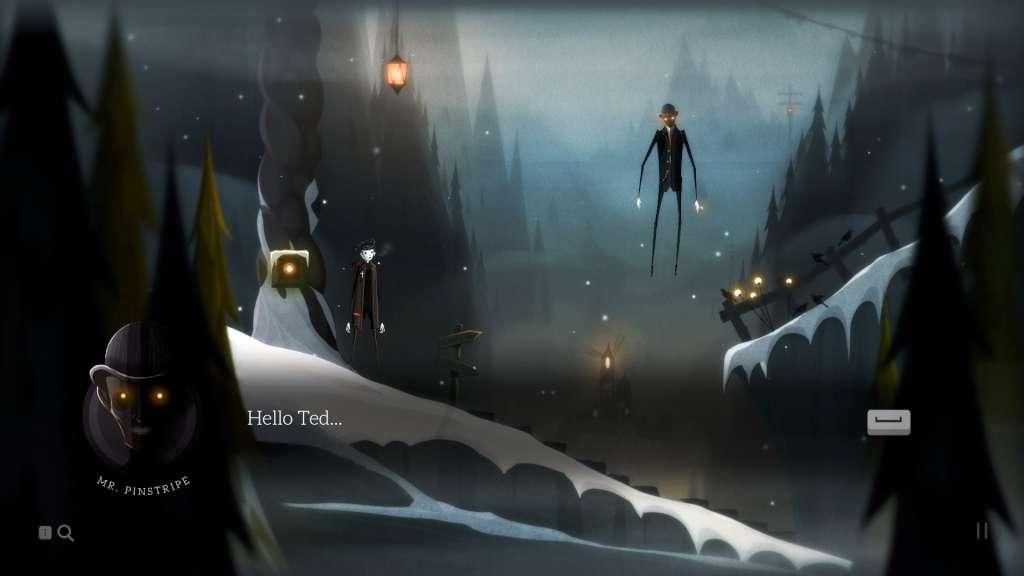
Pinstripe Steam Gift Platform: Steam Release Date: 25/04/2017 Product Description Pinstripe is an emotionally charged adventure through Hell created entirely by a one-man team over the course of five years. Play as Teddy, an estranged ex-minister forced to venture through the frozen afterlife in search of his three-year-old daughter Bo, and her perverse kidnapper. Discover the dark secrets of Teddy's past, and confront his sleazy, demonic nemesis, Mr. Pinstripe. Features Explore six hauntingly beautiful levels of Hell. Listen to an immersive and unique soundtrack written by the game's creator. Use your slingshot to fight your way through bizarre beasts and interesting puzzles. Hang out with your family pet George and sniff out clues. Discover the mystery behind Teddy and Bo's death. Features a hilarious cast of professional voice actors and celebrity cameo performances! System Requirements PC System Requirements OS: Windows 7 or higher Processor: 1.7 GHz Dual Core CPU Memory: 2 GB RAM Graphics: NVIDIA GeForce GTX 260, ATI Radeon 4870 HD, or equivalent card with at least 512 MB VRAM Storage: 1 GB available space Mac System Requirements OS: OSX 10.10 or higher Processor: 1.7 GHz Dual Core CPU Memory: 2 GB RAM Graphics: NVIDIA GeForce GTX 260, ATI Radeon 4870 HD, or equivalent card with at least 512 MB VRAM Storage: 615 MB available space Linux / SteamOS System Requirements OS: Ubuntu 14.04 or later (64-bit) Processor: 1.7 GHz Dual Core CPU Memory: 2 GB RAM Graphics: NVIDIA GeForce GTX 260, ATI Radeon 4870 HD, or equivalent card with at least 512 MB VRAM Storage: 1 GB available space
How to activate
"Please remember that we are NOT responsible for any problems that may arise from purchasing and using Steam Gifts. You are doing it at your own risk. "Please note, that due to recent Valve Steam Gift policy update Steam Gifts for games that are covered by VAC ban program can no longer be added to Inventory. Make sure that you are logged in to the proper account before entering the link as Steam Gifts can be only added to your library or rejected. How do I use a Steam gift given to me? If you do not already have Steam, download and install Steam here. Once you have Steam installed, you will be prompted to create an account or login to an existing Steam account. If you do not have an account, please create one. You will receive an e-mail containing a link that will open Steam allowing you to redeem your gift. After clicking the link, you will receive a notification at the top right corner in the Steam client informing that you have a new gift.
Details
- Type
- Game
- Platform
- Steam
- Region
- Region free
- Delivery
- Code, after payment
- Payment
- Byrvox balance