Youtubers Life Steam Gift
- Steam
- Game
- Region free
- In stock
About
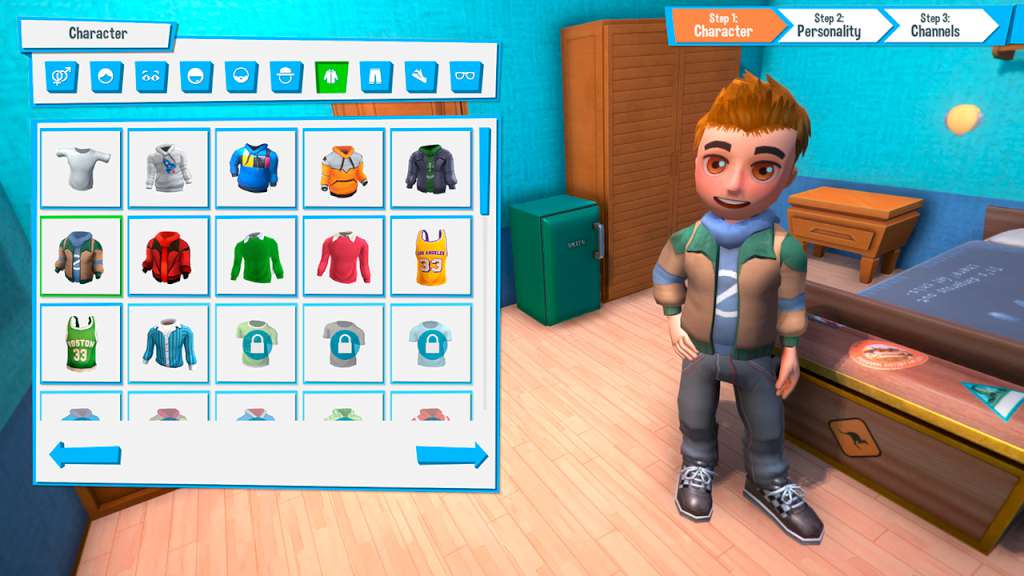
Youtubers Life Steam Gift Platform: Steam Release Date: 18/05/2016 Product Description Youtubers Life is the ultimate life simulation/tycoon videogame in which you can effortfully become the world’s greatest video blogger in history by editing videos, expanding the amount of fans and turning yourself into a wealthy fellow. Create your character —customize it as you wish, there are thousands of hillarous combinations— and start making your first broadcasts in the cozy room at your parents’ where you have grown up since you were little. Record gameplay sessions, buy new and classic consoles, keep an eye on daily tasks, and socialize yourself to increase your popularity while you have to deal with fans, friends, family and time management! Features Make your own videos Editing your own videos has never been so immersive! Follow the whole process from A to Z and publish your broadcasts on Internet! Purchase your favourite titles online, get them delivered at home and start recording your gameplay sessions. Improve your videos as you become the greatest video blogger ever! Get fun! Being a vlogger is not only about recording videos and see how many viewers you obtain —you also need to cool down and have some fun in your daily life! Go to the cinema to watch the latest film releases, attend presentations of new games, chill out in the club or party in a luxurious yacht! Meet new friends and discover your other half while you keep thinking about the next broadcast you want to make when you get back home. Become a Celebrity The more viewers you reach the more popular you’ll be! As you increase your particular network, more VIP’s will be interested in meeting you in person. Besides, important high-tech and gaming brands will contact you and you will eventually meet other famous youtubers. Your fans will battle with all their might to get your autograph! System Requirements PC System Requirements OS: Windows XP Processor: 2 GHz or faster processor Memory: 2 GB RAM Graphics: 512MB VRAM (NVIDIA GeForce) DirectX: Version 9.0c Storage: 3 GB available space Additional Notes: Better played at 16:9 resolutions. Check your quality settings in the game if you experience performance problems. Mac System Requirements OS: OSX El Capitan, Yosemite, Mavericks, Mountain Lion, Lion. Processor: 2 GHz or faster processor Memory: 2 GB RAM Graphics: 512MB Video Memory Storage: 3 GB available space Additional Notes: Better played at 16:9 resolutions. Check your quality settings in the game if you experience performance problems.
How to activate
"Please remember that we are NOT responsible for any problems that may arise from purchasing and using Steam Gifts. You are doing it at your own risk. "Please note, that due to recent Valve Steam Gift policy update Steam Gifts for games that are covered by VAC ban program can no longer be added to Inventory. Make sure that you are logged in to the proper account before entering the link as Steam Gifts can be only added to your library or rejected. How do I use a Steam gift given to me? If you do not already have Steam, download and install Steam here. Once you have Steam installed, you will be prompted to create an account or login to an existing Steam account. If you do not have an account, please create one. You will receive an e-mail containing a link that will open Steam allowing you to redeem your gift. After clicking the link, you will receive a notification at the top right corner in the Steam client informing that you have a new gift.
Details
- Type
- Game
- Platform
- Steam
- Region
- Region free
- Delivery
- Code, after payment
- Payment
- Byrvox balance